
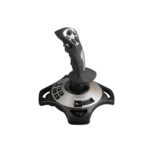





PXN 2119 Pro Gaming Joystick for PC | Flight Simulator Joystick
₨27,999.00
PXN 2119 Pro Gaming Joystick for PC | Flight Simulator Joystick
About this item
- Designed for Immersive Flight Simulator Gaming
- Vibration Feedback
- Precise Controls
- PC Compatible
Description
PXN 2119 Pro Gaming Joystick for PC | Flight Simulator Joystick
PXN 2119Pro Flight Simulator Controls Flight Stick with Vibration for PC Windows 7/8/10
Product Description
Realistic Dual‑Vibration & Immersive Simulation
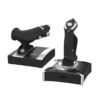
Built‑in dual vibration motors deliver authentic airflow, turbulence, and engine feedback for lifelike flight immersion. The separate throttle unit with damping feel lets you precisely control engine power, matching real‑aircraft operation for Microsoft Flight Simulator, War Thunder, and more.
Wide Multi‑Platform Compatibility
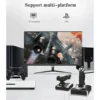
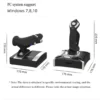
Wired USB connection works with PC (Windows XP/7/8/10), Compatible with most top flight simulators including X‑Plane, Air Combat, World of Warplanes, and Lock On: Flaming Cliffs 3. Plug‑and‑play ready with simple driver setup for full features.
Full Customization & Programmable Controls
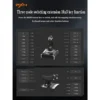
16 fully programmable function keys + 8‑way POV hat switch + rapid‑fire trigger support key mapping via driver software. Three mode expansion and 4‑axis precision let you tailor every control to your playstyle, ideal for casual pilots and simulation enthusiasts alike.
Ergonomic & Stable Design for Long Sessions
Ergonomic grip with intuitive button layout reduces hand fatigue during extended flights. Heavy‑duty base with strong suction cups locks firmly to desks, eliminating sliding for steady, accurate maneuvers. Joystick unit can be used independently for flexible setup.
PRECAUTIONS
After connecting the computer USB, if the computer cannot recognize the PXN-2119 Pro, please download the PXN-2119 Pro driver. If the connection is successful but the buttons do not work, you need to enter the game settings page in the game and select the joystick mode. For the settings of “Microsoft Flight Simulator 2020”, you can view the detailed setting steps in E-PXN Official Website – Service – Joystick Game button settings X-Plane 11.
PC Connection Method
Step 1 Launch PXN official website (e-pxn.com.cn) to download and install driver,details show below:Home–support–tools–find PXN joysitck software to download .step 2 Extract the downloaded driver,and install according to instruction.step 3 plug the PXN Flight joystick into pc usb port,computer will prompt new hardware and install automatically. step 4 then you can play game or Key mapping conduct joystick settings in PXN Joystick,Some games require you to go into the game settings.
Buy PXN 2119 Pro Gaming Joystick in Pakistan
Buy the PXN 2119 Pro Gaming Joystick for PC and Flight Simulator from TechMatched at the best rate in Pakistan. Designed for immersive flight simulation and gaming, it offers reliable performance for PC users along with nationwide shipping and trusted sales support from TechMatched.
Visit the manufacturer’s website here
“TechMatched offers a price-match policy for its customers. If you find anyone selling at less price than us, you can simply contact us and we’ll match the price for you.
Read here in detail about Price-Match Policy.”
For more details, visit similar products here.
Additional information
| Weight | 2.5 kg |
|---|
Reviews
There are no reviews yet.